For Coaches & Athletes

Run your workouts.
Own the track.

SplitTime makes it simple to build workouts, time athletes live, and share results — all from your iPhone.

Download on the App Store

Free to download  ·  iOS 16+

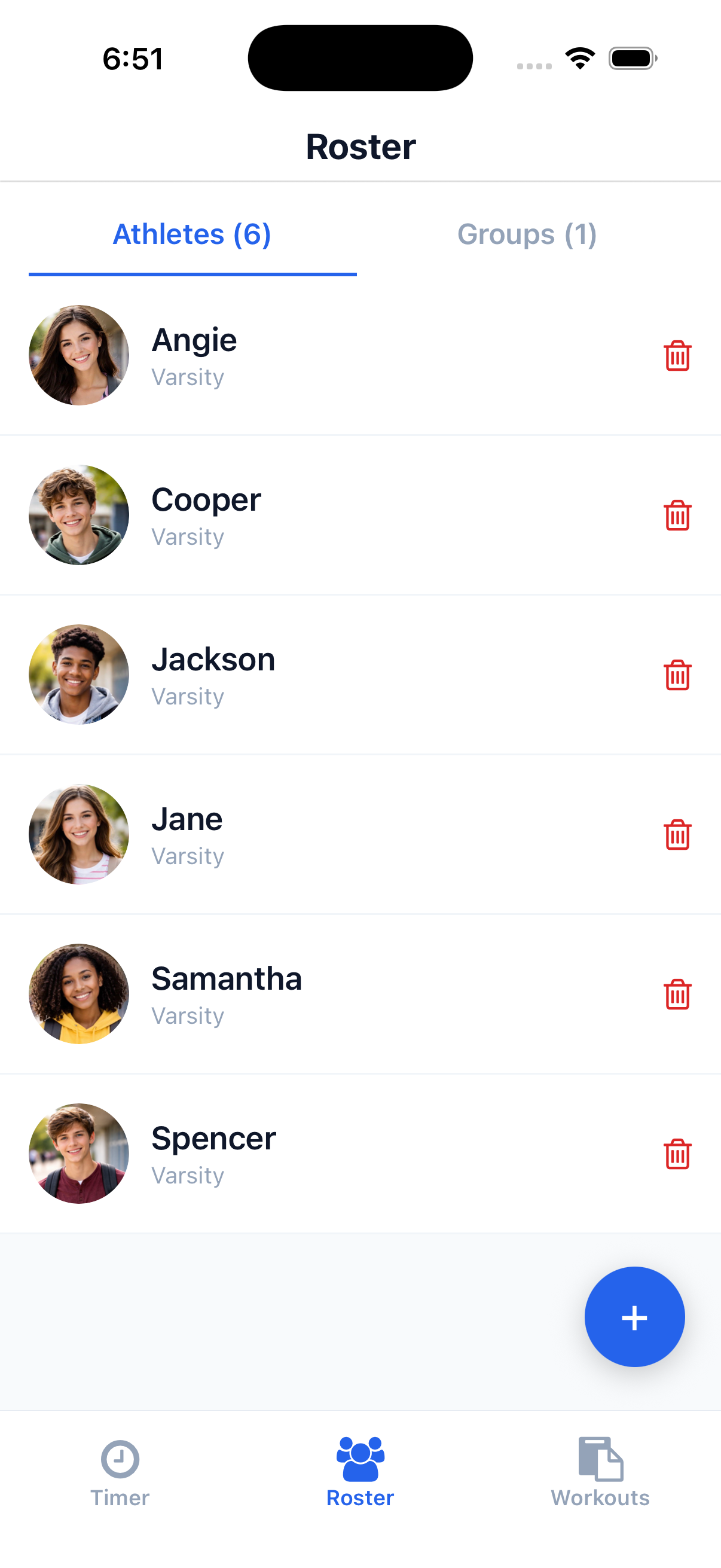
Roster view
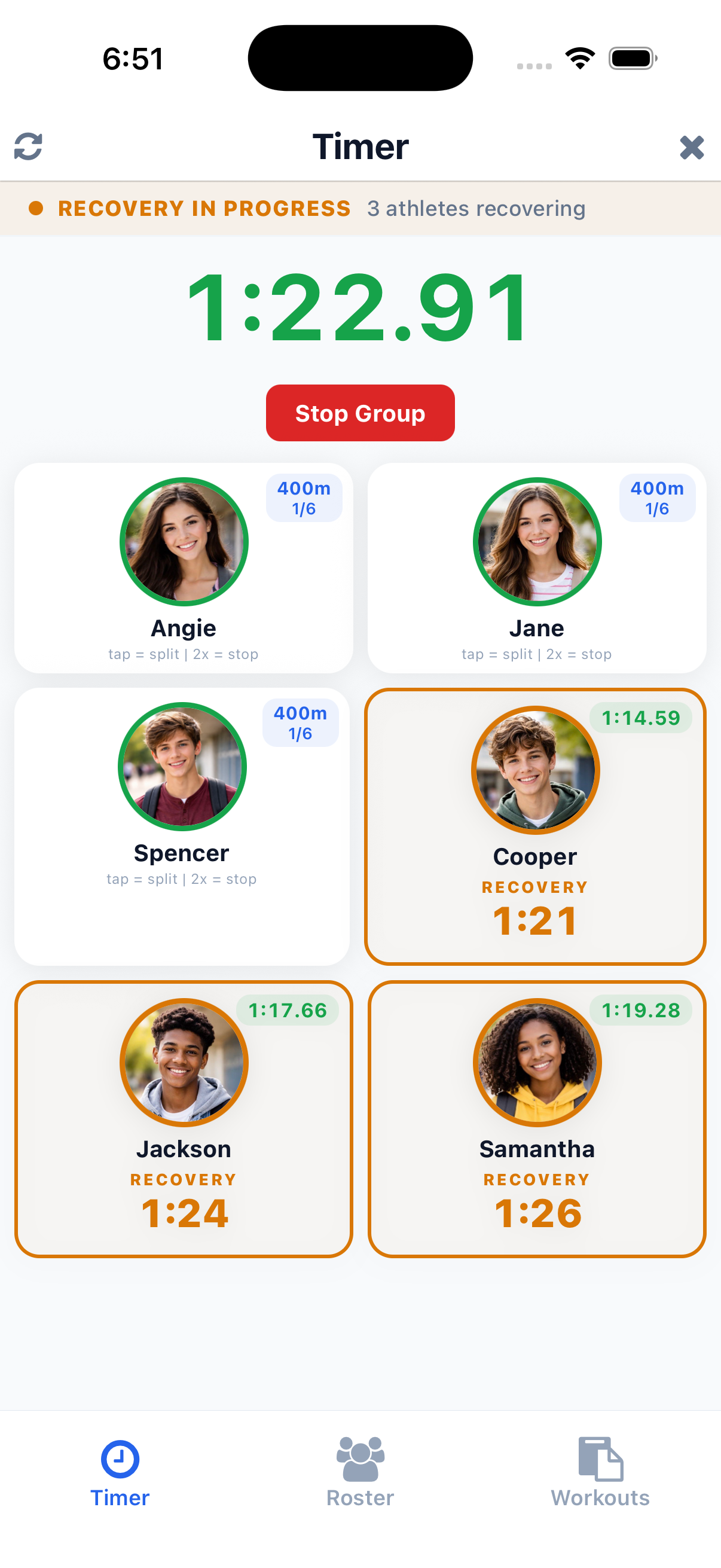
Live timing
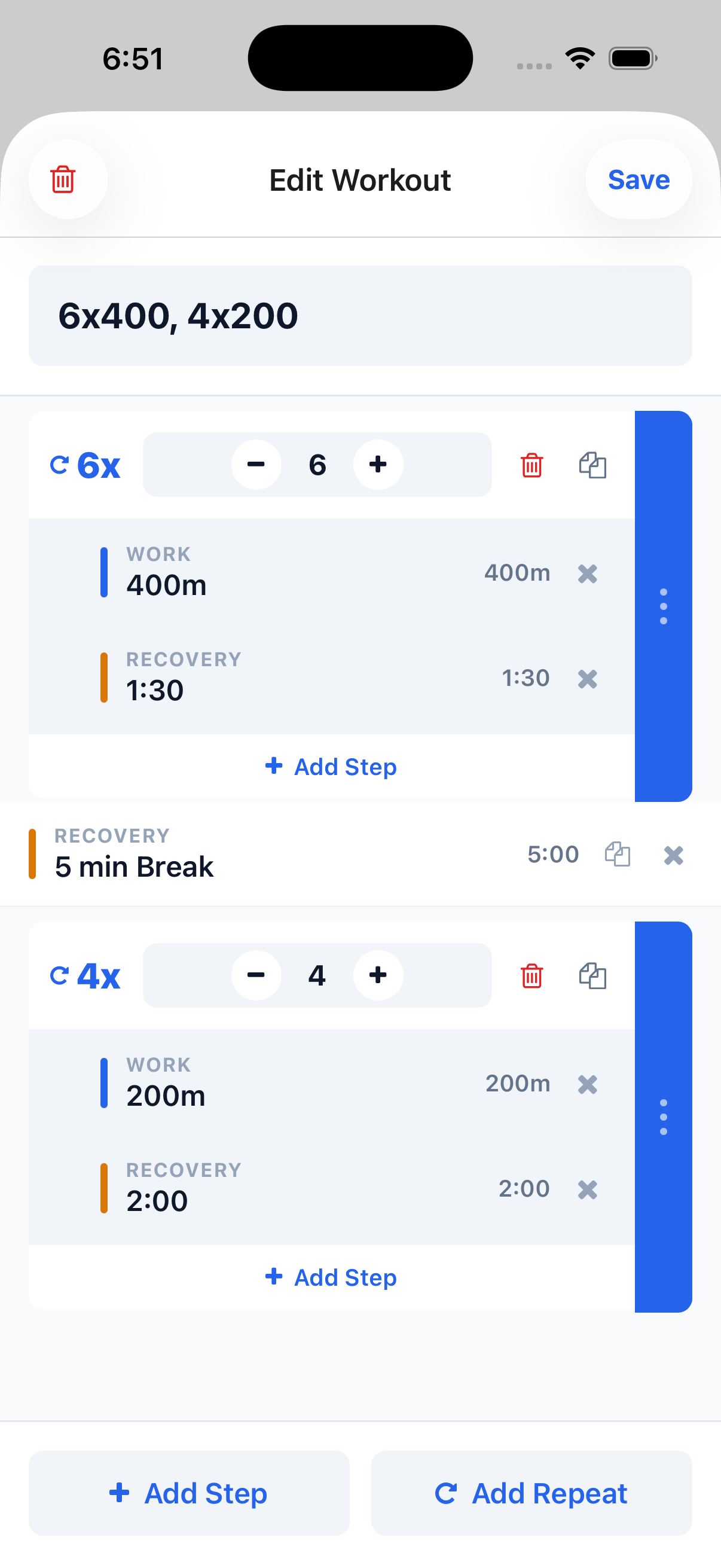
Workout builder
Features

Everything you need,
from first rep to final split.

SplitTime handles the details so you can stay focused on your athletes.

Workout builder
Build Workouts

Design your sessions once.
Run them anytime.

Build interval workouts with custom reps, distances, and rest periods. Save them as reusable templates so every practice starts ready to go.

Roster management
Manage Roster

Your whole team,
organized and ready.

Add athletes, assign them to groups, and keep your roster up to date. When it's time to run, everyone's already on screen.

Live timing
Time Athletes Live

Tap to split.
Stop when they finish.

Time individuals or entire groups at once. Tap each athlete to record splits as they cross. Built for the track — fast, precise, and intuitive mid-workout.

Workout history
Save History

Every session saved.
Nothing lost.

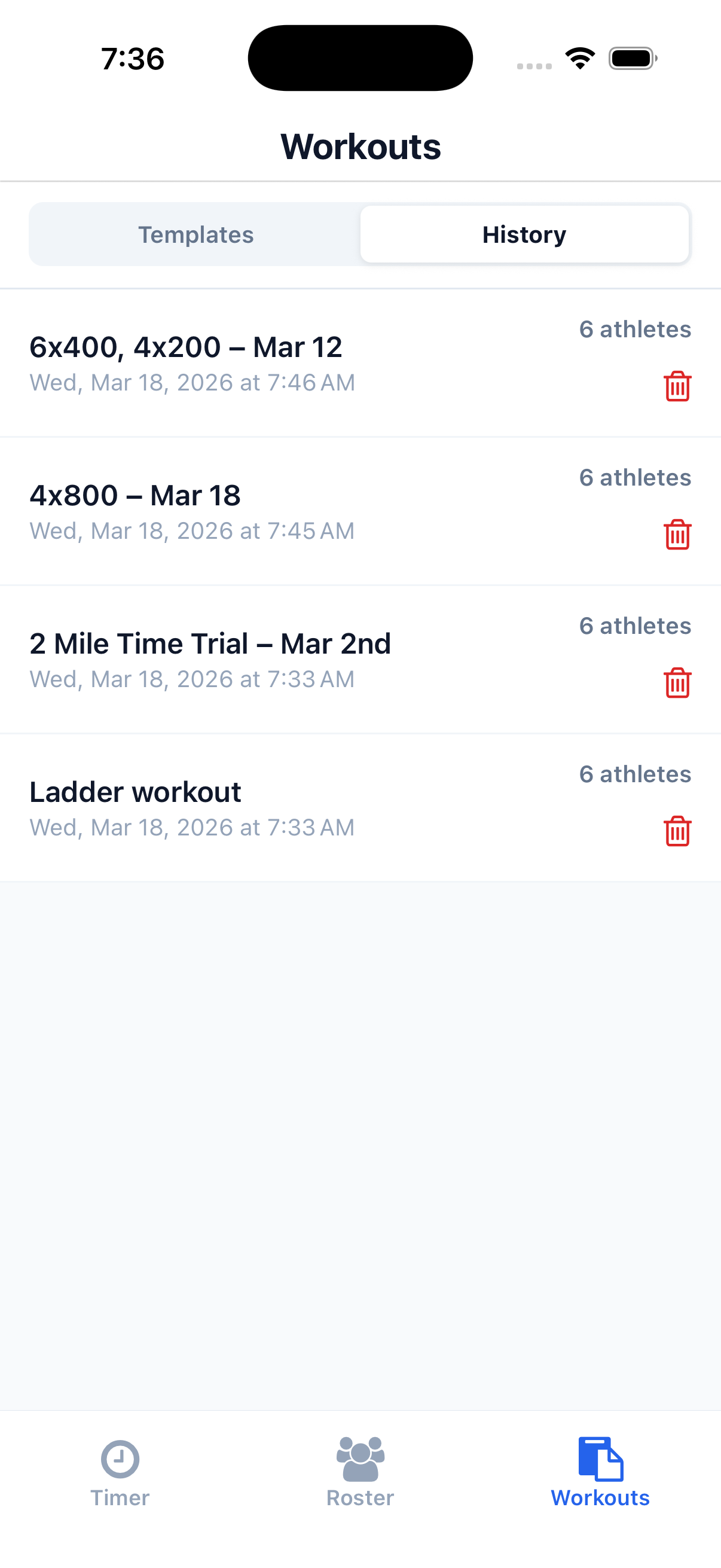
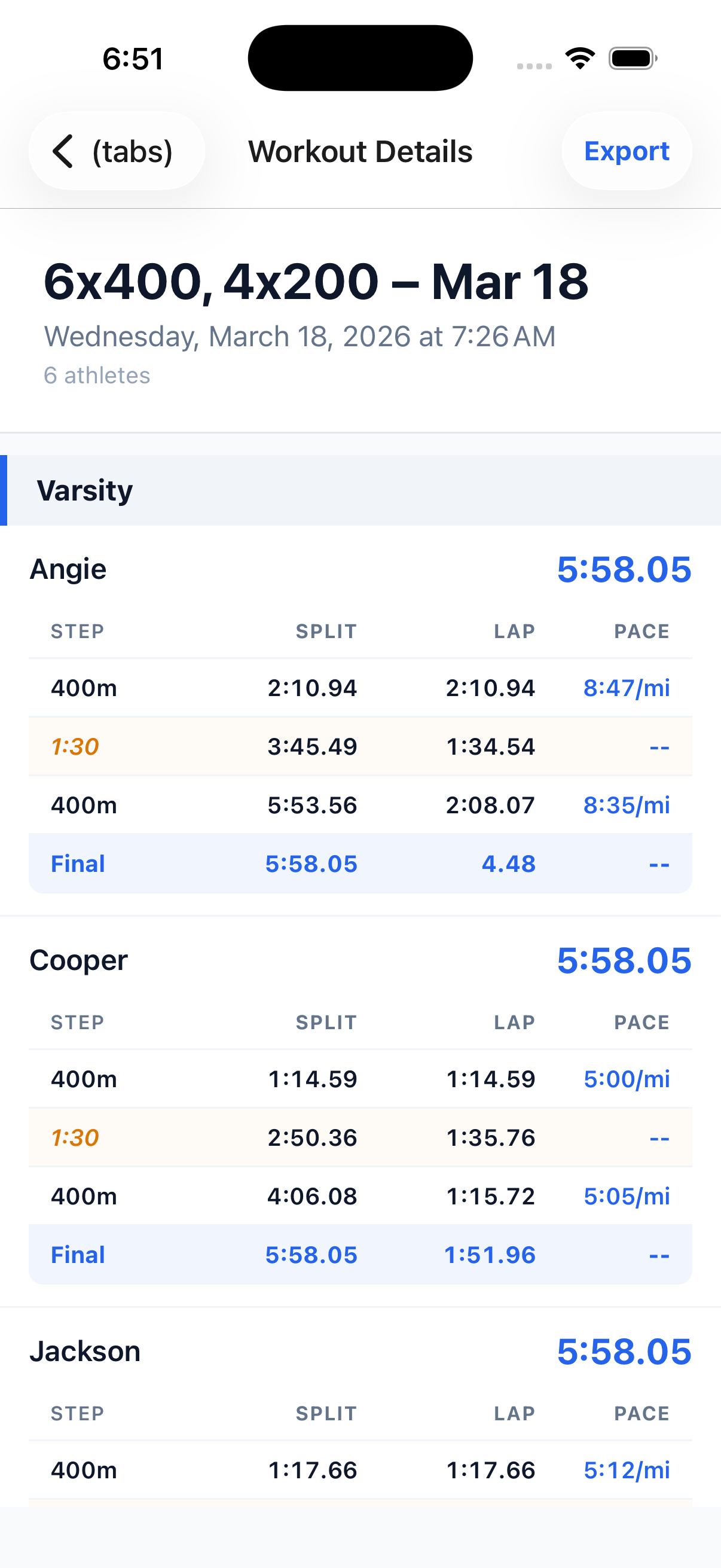
Workouts are automatically stored after each session. Go back any time to review splits, compare progress, or rerun a past workout with a different group.

Export results
Export Results

Share splits
in seconds.

Export full workout results as a CSV or share a formatted summary directly from the app. Get data out fast — right from the track, before everyone goes home.

How It Works

Simple from day one.

No steep learning curve. No clutter. Just your athletes and their times.

1

Create Your Roster

Add athletes and organize them into training groups. Set up once and you're ready for every session.

2

Build Your Workout

Use the workout builder to define intervals and reps. Save as a template to reuse any time.

3

Time Your Athletes

Start the session and tap to record splits live. SplitTime runs the clock — you focus on the lane.

4

Review & Export

When done, review each athlete's results and export. Finished in seconds, right from the track.

Support

We're here
if you need us.

Have a question or ran into an issue? Reach out directly — we read every message and respond quickly.

Open the Workouts tab and tap the + button. Give your workout a name, then add intervals or repeats using the workout builder. Hit Save to store it as a template you can reuse any time.
Go to the Roster tab and tap + to add a new athlete. Enter their name and assign them to a group. Repeat for each person on your team — they'll be ready to select in your next session.
After a workout, open it from the History tab and tap Export. You can share splits as a CSV file or send a formatted summary directly from your device via Messages, Mail, or any share sheet app.
Yes. You can organize your roster into named groups and time multiple athletes at once in a single session. It's designed specifically for team and group training environments.
Absolutely. Saved workouts act as templates — run them again any time from the Workouts tab. Each run is logged separately in your history, so your original template always stays intact.
Email us at support@splittime.app. We aim to respond within one business day. Including your device model and iOS version helps us assist you faster.
Privacy

Your data stays on your device.

SplitTime stores all workout and roster data locally on your iPhone. We don't collect personal information, require an account to use the app, or sell your data. Any results you export are shared entirely at your own discretion.

View Full Privacy Policy →